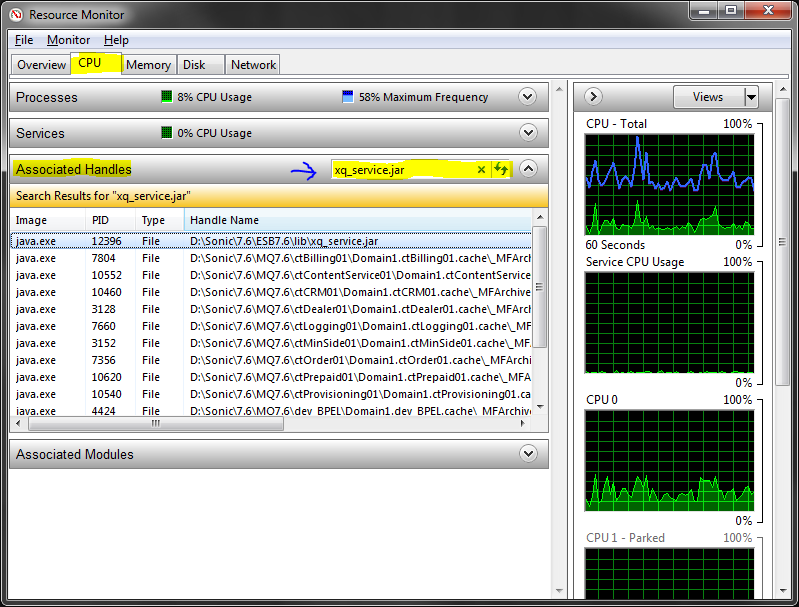
For Windows 7, 8 and 10, Windows Server 2010 you can use the built-in Resource Monitor for this.
- Open Resource Monitor, which can be found
- By searching for resmon.exe in the start menu, or
- As a button on the Performance tab in your Task Manager
- Use the search field in the Associated Handles section on the CPU tab
- Pointed at by blue arrow in screen shot below
In case it is not obvious, when you have found the handle, you can identify the process by looking at the Image and/or "PID" column.
You can then end the application if you are able to do that, or just right-click the row and you'll get the option of killing the process right there.